

Spreadsheet123 Template Vault App for Office 2013 - 2016
By Spreadsheet123.com, Version 1.0Browse over 200 Excel spreadsheet templates, financial calculators, calendars and Word documents from within a task pane in Excel or Word.
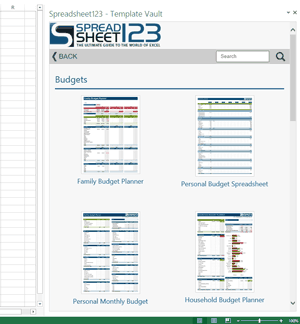
At Spreadsheet123, we are constantly working on making templates and documents we create more accessible and available for a wider audience. This app is intended for making things even simpler and faster. You can browse an entire collection of our free spreadsheet templates and documents without leaving the comfort of Excel or Word.
As the list of templates and documents on spreadsheet123.com is constantly growing, the Template Vault app will include more and more documents and spreadsheets for you to browse and download.
You will find a link to the relevant web page under each template, where you can find more information and learn more about specific documents, download versions for Google Docs or Open Office, leave your feedback and more.
Browse on your mobile device
In addition, you can also use the link below to browse and download templates on your phone or any other mobile device, provided that you have an internet connection available.
FAQ
Q. Why can't I open the files directly in Excel or Word?
Files cannot be opened directly from the web from within an Office App. That is why the links and buttons within the app must open an external browser window to download the files.
Q. When downloading a template, should I "Save" or "Open" when my browser prompts me?
You should choose "Save" to save the template that you are downloading to a location on your computer. Then, open that template file in the appropriate application (Excel for .xls and .xlsx files or Word for .doc and .docx files).