
Template Support and FAQ
Answers to frequently asked questions about Excel Templates provided by Spreadsheet123Here you can find answers to some of the most frequently asked questions about templates you've downloaded from Spreadsheet123. Unless you cannot find the answer to the question that interests you below on this page, or the original download page, please Contact Us.
I am having a problem with downloading template, which I've just purchased
We use ClickBank as our primary payment processor that makes it very easy for our users to purchase new or download already purchased spreadsheet templates.
If for some reason you had trouble downloading, you can get back to the download page (as shown in the image) by just clicking on the following button or also by following the link in the receipt that was emailed to you after your purchase.
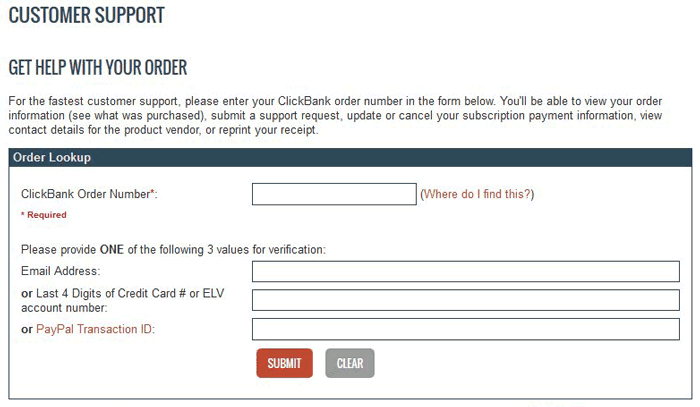
You will be required to submit your ClickBank Order Number, which can be found in the receipt that was emailed to you after your purchase, on your credit card statement, or on your PayPal receipt and one of the following, your email address, or last 4 digits of your Credit Card, or PayPal Transaction ID.
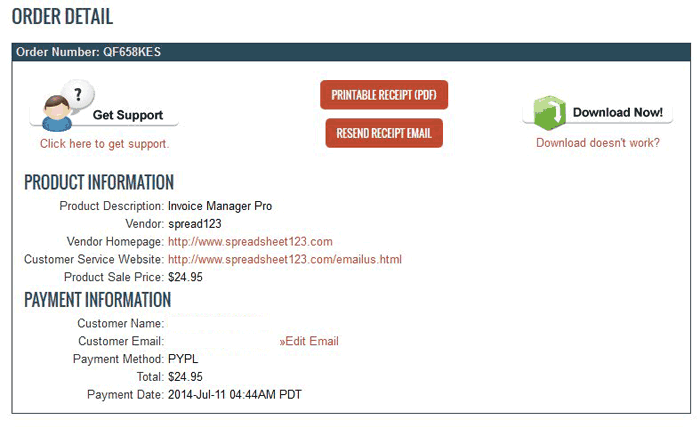
Once the required information is submitted, the following screen will appear with Download Now button in the upper right corner as shown on the image below.
Note: For security reasons, we are not able to send your template to any email address other than one on your ClickBank receipt.
How to fix cells that display "#######"?
Cells usually display contents as "#######" when the content of that cell is wider than the width of the cell. To fix this, you should either adjust the width of the column alternatively decrease the font size. Adjusting cell width could sometimes lead to another problem especially when the workbook has a predefined printing area. For more information, please read "How to Adjust Print Area."
Adding new Currency Symbols to a predefined list of currencies on the Invoice or Price Quote Templates
This steps may differ depending on the version of Microsoft Excel installed on your computer.
On the Settings worksheet, place the cursor on the cell with Currency Symbol.

In the Excel 2007 - 2016 Ribbon look for DATA tab and click on it.

For users of Excel 2003, on the Data menu, click Validation then proceed to step 3

Once on the DATA tab find Data Validation, click on it and select Data Validation from the menu. (See the screenshot above)
In the Data Validation dialogue that appears go to Source and enter your currency symbol next to $, £, €, ¥ separating every new symbol with a comma then press OK to close the dialogue

Select your symbol from the drop-down list in the cell

Why my file opens in [Read Only] mode?
There are several possible reasons why this could happen, but the common cause of this problem is that the file has been opened before it was extracted from the .zip archive. The simple solution is to close the file then extract it from the .zip archive and then open it again. For more information on how to extract files from the .zip archive read below.
Another cause could be that the file is already open in your browser (yes, this could happen in some browsers).
Also, if you are trying to open an Excel file while it has been open in another version of Excel on your computer, Excel will fire up a message stating that this file is already opened and if you still want to open another copy, you may do so in a Read Only mode.