
Invoice Manager Pro - All in one Invoicing Solution
Professional Invoice Management Solution for Microsoft Excel® - by Alex BejanishviliSuccessful entrepreneurs keep detailed records. This enables them to have an awareness of the company’s financial standing, as well as improve customer service. Furthermore, consistency is a key component when aiming at organic growth. A thriving business keeps doing that which is necessary to be successful day in and day out. This creates long-term positive habits and growth-oriented routines. Invoicing is a most significant part of such a habitual success-seeking. A good invoicing system results in a near perfect record-keeping, expedient inventory management and stream-lined operations.
It is not infrequent for a small to medium-sized business to be encumbered with makeshift invoices. A do-it-yourself system that worked well at the inception of an enterprise may become a hindrance at a later stage of the organization. As company advances, so should its operational logistics. There comes a time when crude invoicing systems have to be substituted with professional, yet easy to use invoicing solutions in order to facilitate the daily operations and accommodate organic growth of the business. That is what Spreadsheet123's Invoice Manager Pro can do for you.
Spreadsheet123's Invoice Manager Pro is a Microsoft® Excel® spreadsheet-based software that helps to automate processes, such as creating invoices, tracking payments, maintaining an integrated product catalog and customer database. All this is done in one place using the office software with which most of us are already familiar.
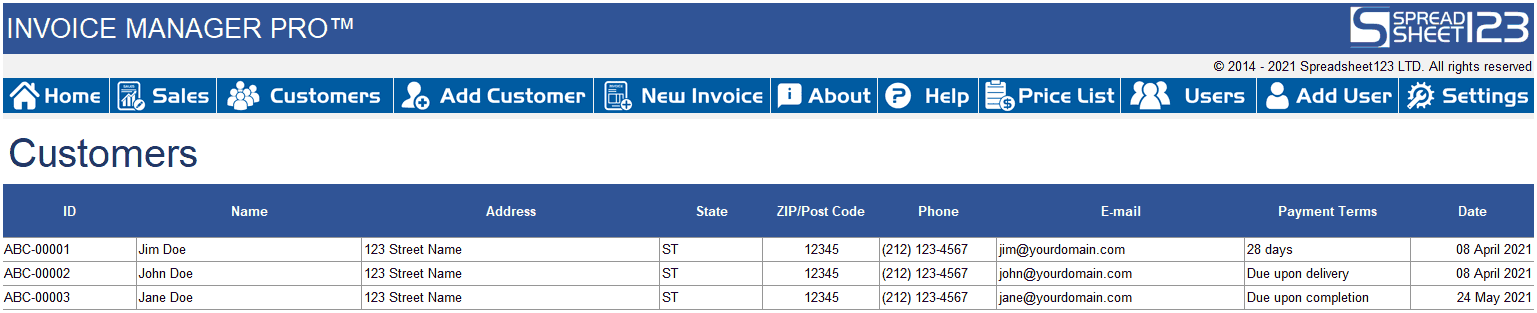
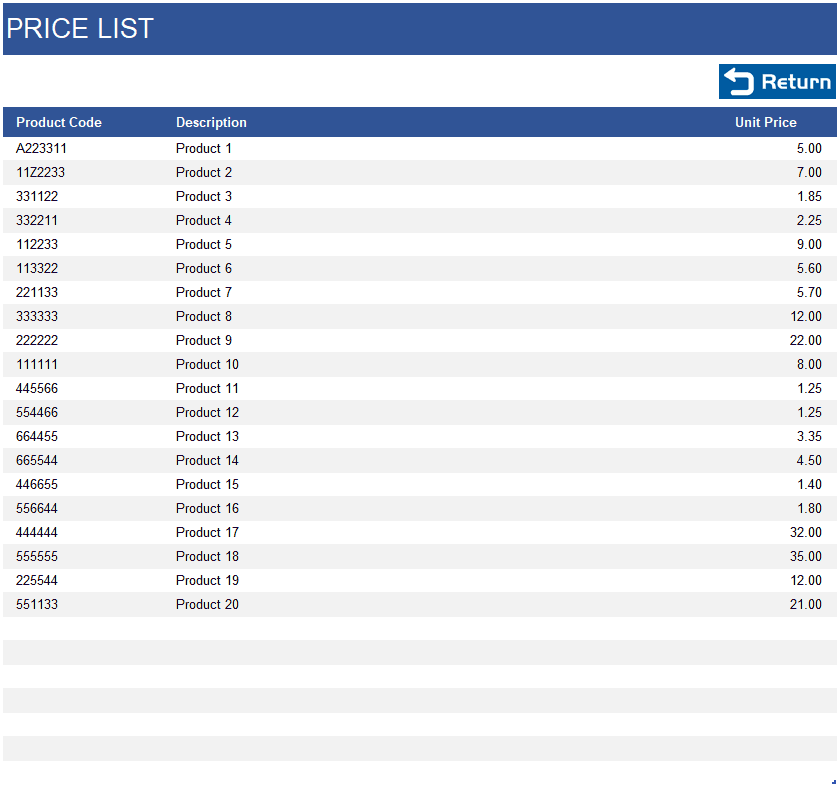
Invoice Manager Pro offers a simple, but powerful interface where you can perform most of your operations. You can create new invoices, add new customers to a database, edit your price list and add more users with different levels of access.
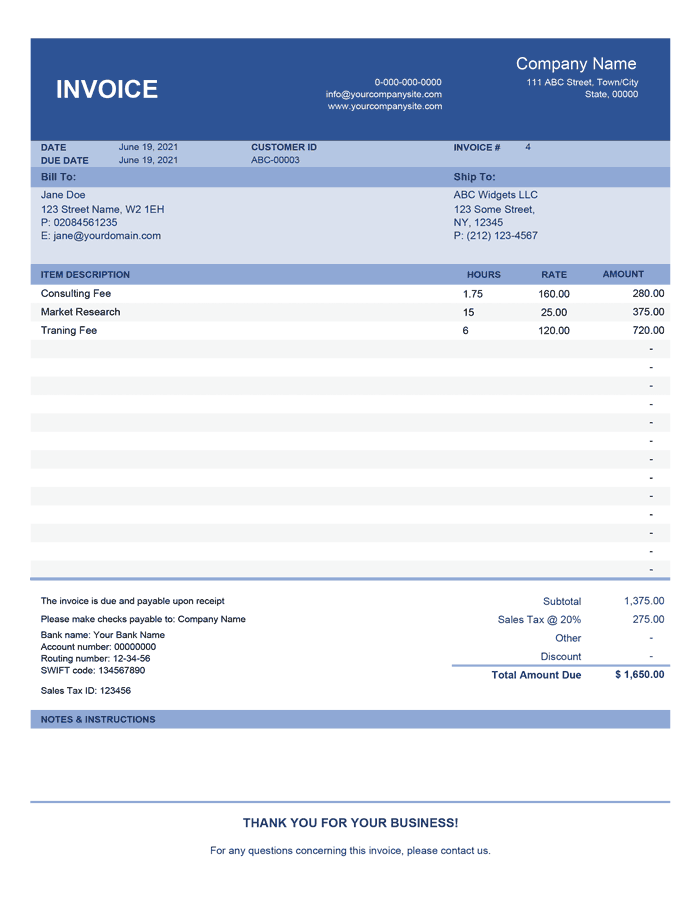
Invoice Manager Pro can be utilized effectively both, for a service-oriented business and product-oriented enterprise. Whether you are selling consultancy on an hourly basis or a warehouse full of merchandise, Invoice Manager Pro can enable you to achieve a near perfect record-keeping and stream-lined operations.
Invoice Manager Pro
for Excel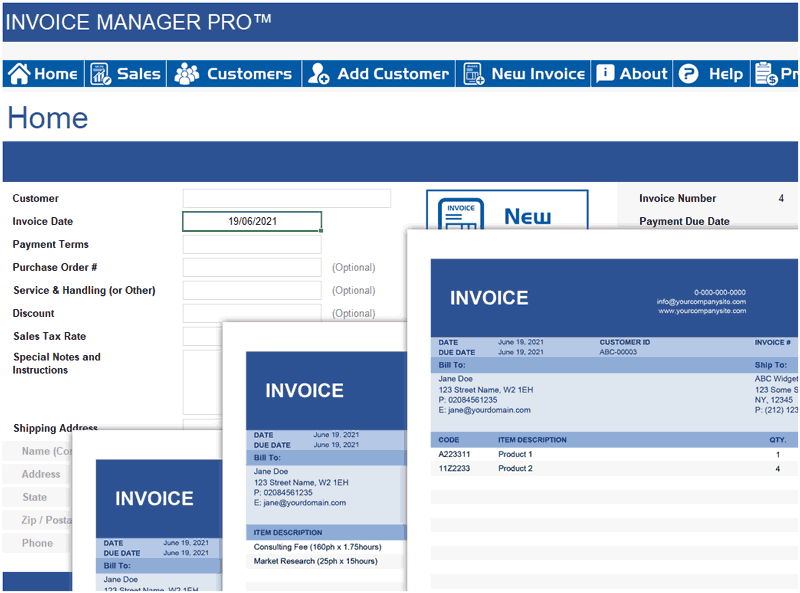
Categories
Invoices BusinessScreenshots
1 2 3 4License
Specifications
Support
Visit Support PageScreenshots of templates (click to enlarge)

Description
Spreadsheet123.com would like to offer you a no-obligation 30-day free trial. Some companies may offer a free trial for a limited version of their invoicing software. We, on the other hand, are confident that you will like our product, our customer support and our unwavering commitment to helping your business grow, and would like to offer you a free no-obligation 30-day trial of the full version of our Invoice Manager Pro.
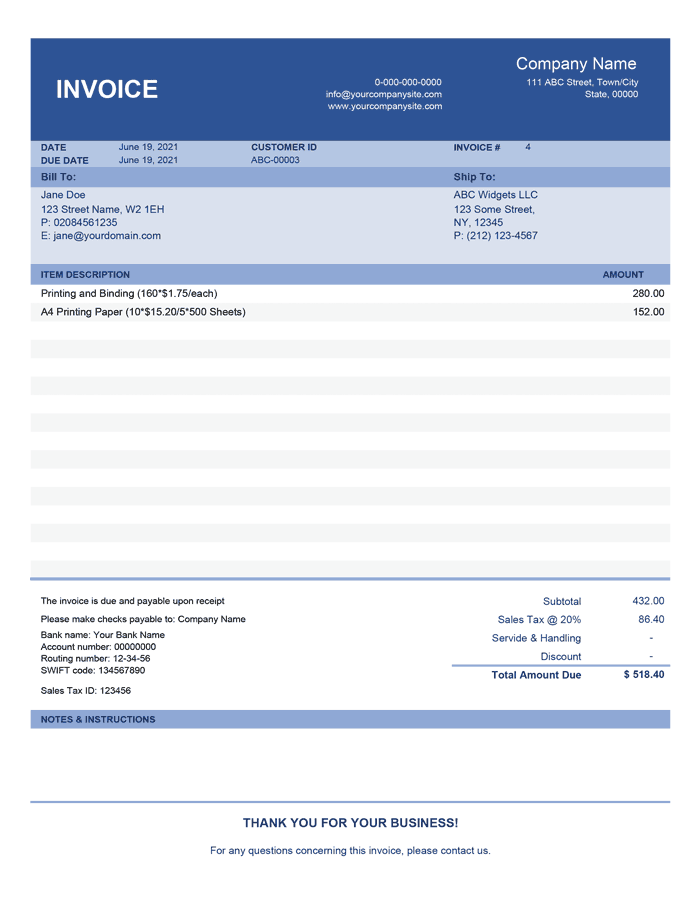
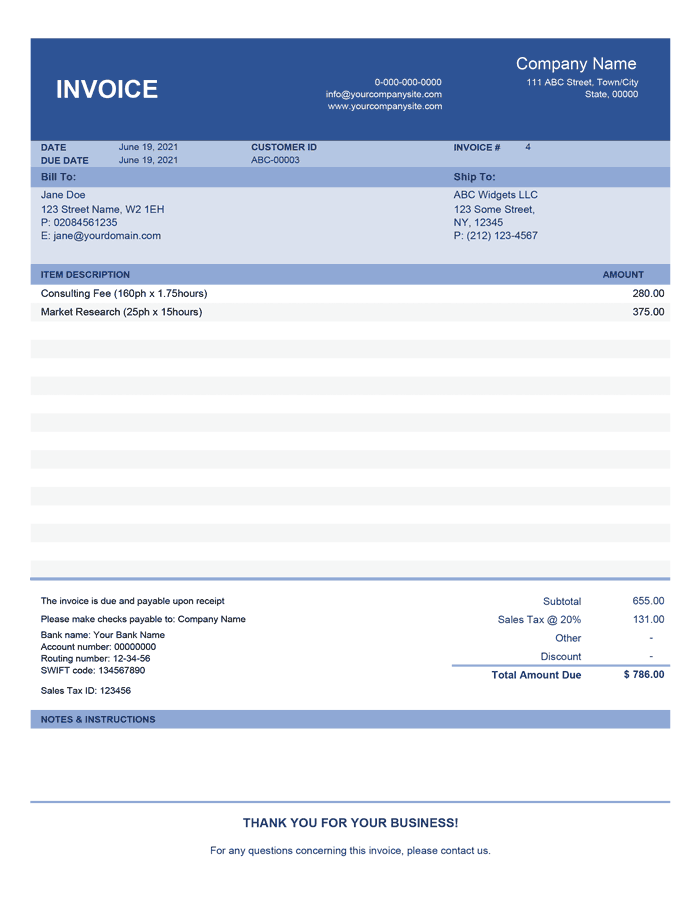
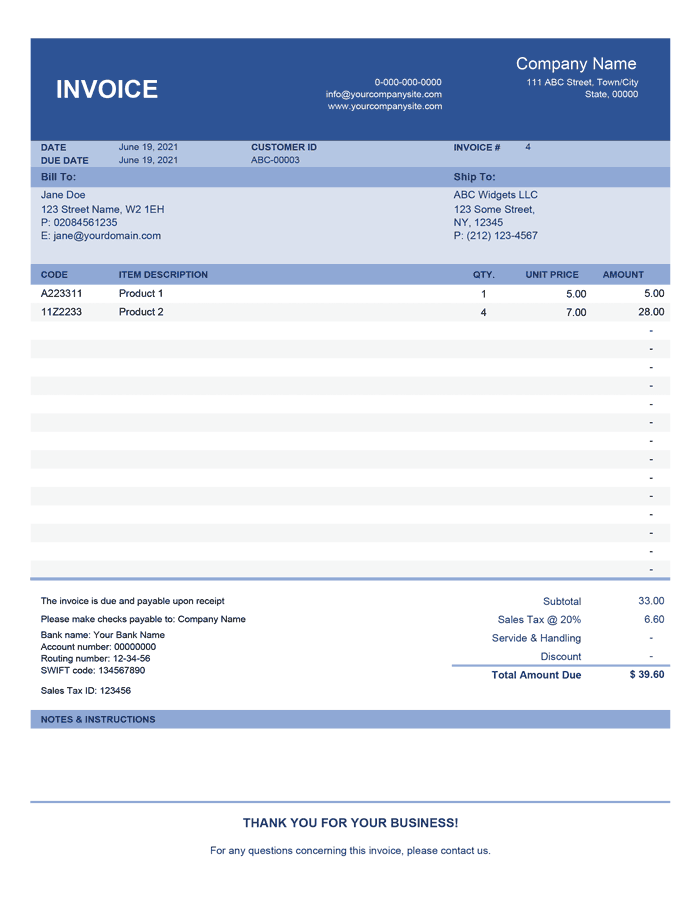
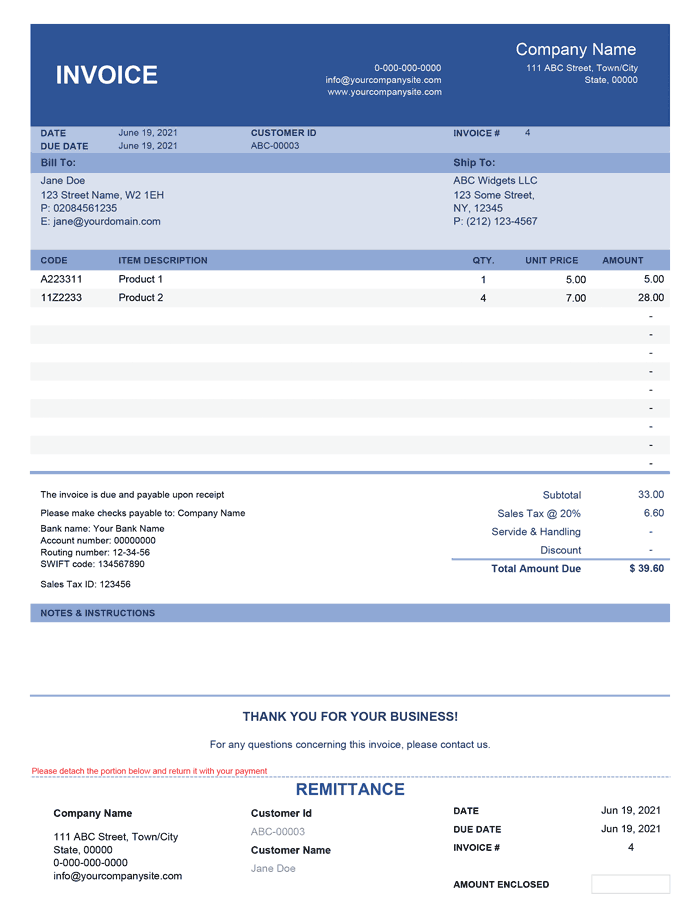
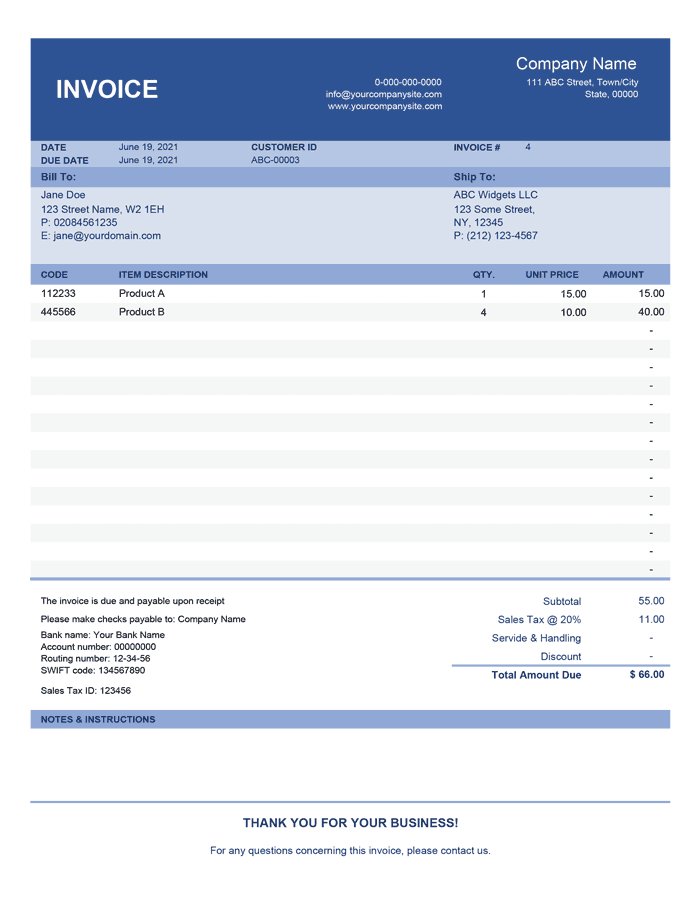
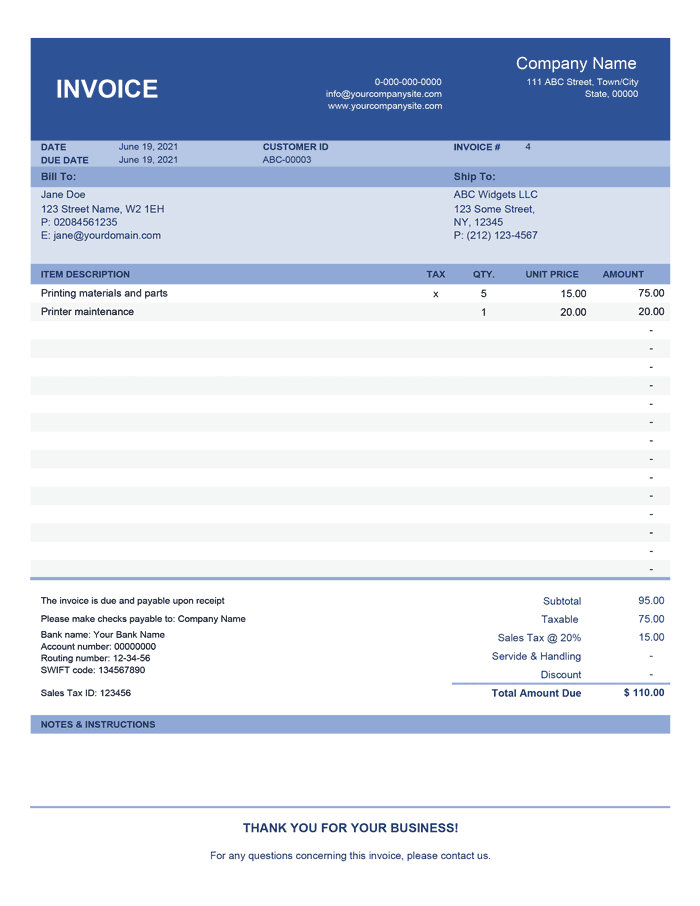
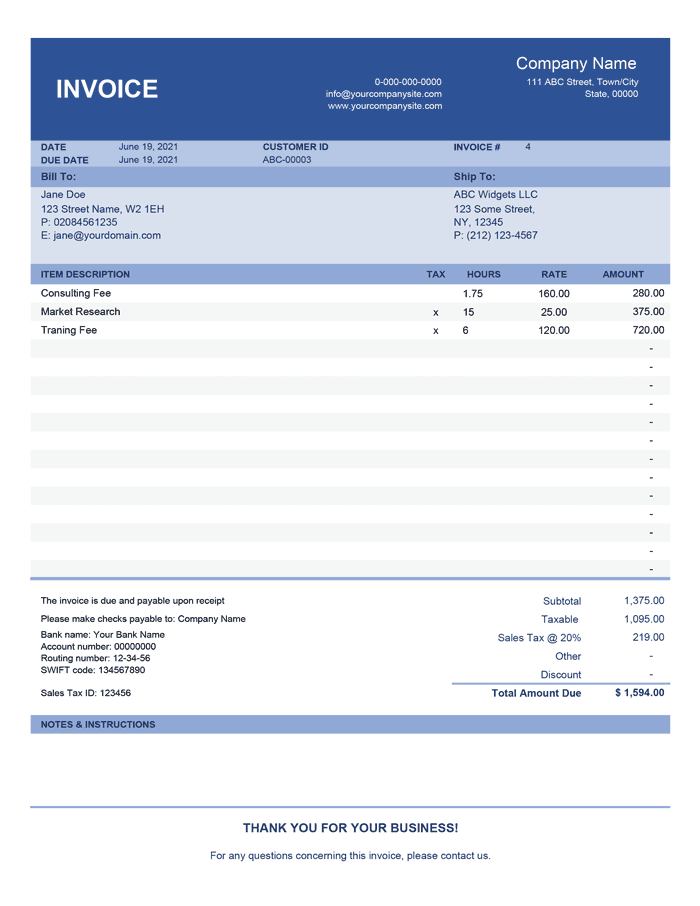
We have included different types and styles of invoice templates in the Invoice Manager Pro in order to accommodate a wide variety of business needs. We ask you to examine them thoroughly so that when you are creating a new invoice, you will know which invoice template to select that best suits the current needs of your enterprise. In addition, if you are a power user of Microsoft Excel, you can add custom invoice templates when needed.
Although the Invoice Manager Pro is a macro-enabled workbook, any of the individual invoices you create are macro-free spreadsheets. These are stored in a separate directory, which you will find in the same place, where you keep the Invoice Manager Pro software file. You will have an ability to make changes and amendments on as needed basis. For example, you can add/delete products or services at any time before or after sending an invoice. This enables you to fix mistakes or alter invoices to adapt to the dynamic needs of your customers. All changes made to an individual invoice will be reflected in the sales report after you press the Refresh button. This way you do not have to type or copy/paste anything manually.
Invoice Manager Pro
Professional 2.0.0
Specifications
- No Subscription - Pay once, use it for as long you need
- Free updates for life
- Ability to add custom Invoice templates (Power Users)
- Ability to customize VBA code (Power Users)
- Technical Support (for 90 days)
License
Specifications
Requirements
Support
Migrating from another invoicing software
It is very easy to migrate from any other invoicing software to Spreadsheet123's Invoice Manager Pro. When you decide to do so, all you need is to copy your outstanding invoices from existing software to the Sales report of Invoice Manager Pro. The invoice number for the new invoices, which you will be creating using new software, will be picked automatically and sequentially raised every time you create a new invoice.
Ease of Set-Up
At the very inception of our company, we set a goal to create most comprehensive and easy to use templates in order to help our future customers save time and avoid needless pains not infrequently associated with the use of a new software. Spreadsheet123's team of developers placed a special effort in building Invoice Manager Pro to achieve a one step data population process for you. Due to the painstaking work of our engineers, making changes in settings will alter the essential information displayed on all invoice templates included with the software all at once. In a sense, this is the only step that you need to take to set up the Invoice Manager Pro for use in your business. We do not recommend making any customizations directly on the invoice templates, as this may result in errors or even break the software entirely.
Print and Send Invoices
All invoice templates are customized for printing on the standard paper size, allowing printing them to a single-page PDF file for sending to customers. PDF printers or PDF conversions software, such as Adobe Acrobat or similar, is required for earlier versions of Microsft Excel.