
Vehicle Repair Invoice
Download a free auto repair invoice template for Microsoft Excel®The auto repair invoice offers a budget-friendly, efficient, and straightforward solution for your auto repair business. Regardless of the size of your enterprise, for a company to flourish, you need a reliable solution that can help your business grow. The Excel Auto Repair Invoice offers a cost-effective and dependable way to manage your day-to-day transactions. The invoice, which you can download below on this page, contains all the essential details, such as invoice number, customer and vehicle information, labor costs, and parts used for repair. You can easily customize this template to meet the requirements of your business.
Vehicle Repair Invoice
for Excel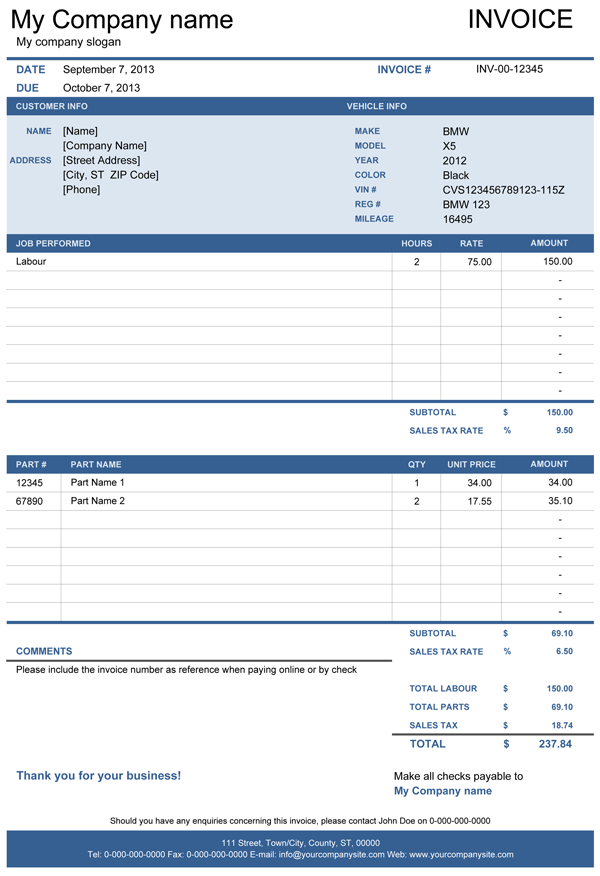
Categories
Invoices BusinessLicense
Specifications
Description
The vehicle repair invoice template is a simple and reliable solution for a small and medium-sized vehicle service center. This invoice provides all the essentials necessary for auto repair business and allows sending professional invoices to your customers in a matter of minutes. You can personalize this invoice template by entering your company details on the settings tab, where you can also select the color theme for your invoices, enter the relevant tax percentages, and select the currency symbol. Additionally, this template is Excel Theme enabled so that you can personalize it further by changing the theme, which you would find in the Page Layout ribbon.
How to use the Auto Repair Invoice
The spreadsheet includes three different designs. The first two invoice templates are intended for creating the invoice in Excel to let the spreadsheet do the totals and tax calculations for you. The third template is a blank invoice, which you can print and fill out by hand. All repair invoices include a section for entering vehicle information along with the customer information at the top of the invoice. It also includes sections for listing services performed and a section for listing parts used. The tax calculations are performed separately under each of these sections. Invoice A allows you to enter the number of hours and the hourly rate while Invoice B allows entering the total labor cost instead.