Work Order Form Template
Create work order forms using this handy template for Microsoft Excel®A free work order form is a professional, simple, and fully customizable spreadsheet template. The order form in itself is a simple tool that lets customers or departments (if used internally) request work from a company or specific department. The work order form summarizes labor and material costs used for completion of work and captures work and customer information. Work orders can come in several types and are mostly used to process maintenance orders, repair orders, inspection orders, graphic design work orders, IT job orders, cleaning orders, etc.
What is a Work Order?
A work order is a document, sometimes referred to as a job order, service ticket, job ticket, or work ticket. Such a form usually received from the customer or department (when used internally within the organization). It represents a request for completion of a particular work, service, inspection, audit, or purchase, building or engineering of the products requested by the customer.
The work order form can be considered as equivalent to an invoice when used with the customers outside the organization.
Continue reading below on this page to learn how you can use this order form template with external customers or internally within departments of your organization.
Work Order Template
for Excel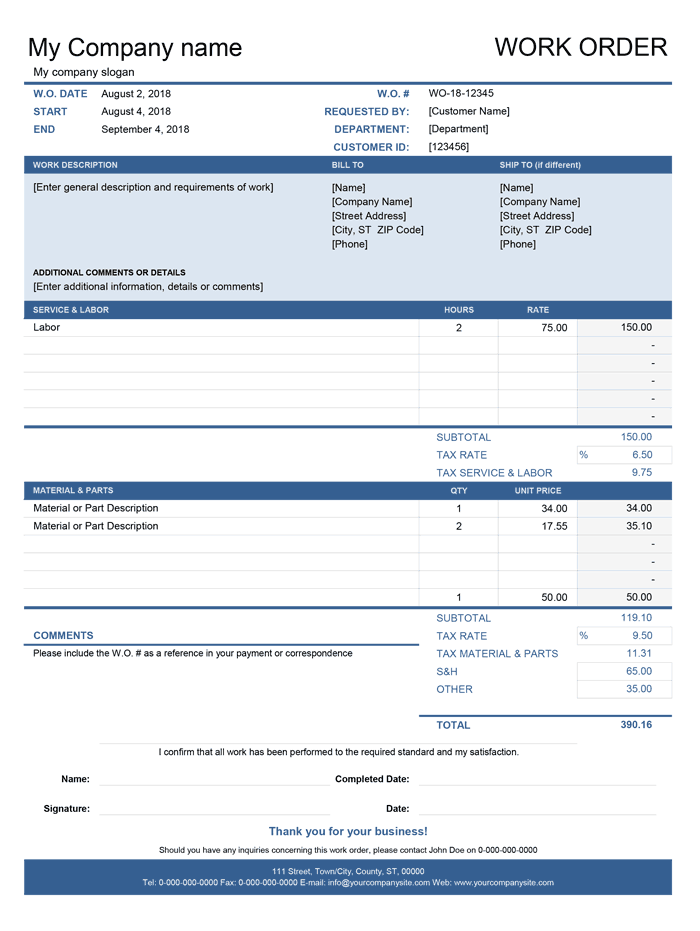
Categories
Invoices BusinessScreenshots
1 2License
Specifications
Description
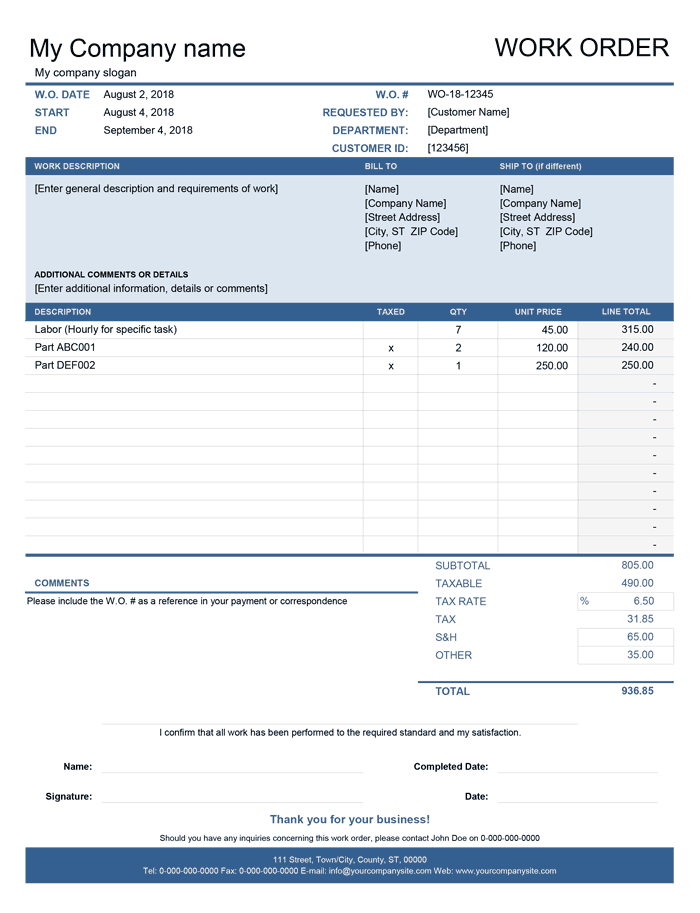
The free Work Order Form Template that you can download above on this page is an Excel file that contains two different work order forms on separate tabs.
As with most of our templates, each work order form is a fully customizable template and includes settings tab, which lets you set up the details of your company that appear on each order form.
The Basic Work Order Form
The basic work order form intended for simple work estimates and smaller projects. You can list all the required services and products conveniently in one place. Besides, you can selectively apply tax to the products or services on the list. There is also space to enter any Service and Handling fees, should those arise.
The Advanced Work Order Form
The advanced work order form is more detailed and suitable for larger projects and jobs that require greater attention to details. It lets you separate your services and labor from your parts and materials. You can optionally add more rows to each section to list more services or enter more materials. You also have the option to enter tax separately for service and labor and materials and parts. This feature is especially useful for states with different tax rates for services as opposed to products.
How to Use the Work Order Template
You can use this template right out of the box with just a basic configuration. Each of the work order forms contains a bunch of values placed in the square brackets, which are supposed to be replaced with your customer information. Some of the cells, such as cells in the column titled Line Totals and cells responsible for the calculation of subtotal, taxable, tax calculations, and work order total, include formulas. These formulas can get easily messed up, so be sure to check after making any customizations.
Typically the work order must contain the information explained in the following points:
- Work Order Date - The date the work order is created.
- Start Date - The date when work should begin.
- End Date - The date when work should end.
- W.O. # - The unique reference number that is used to identify and track the work order and in all correspondence related to it, including any invoices where applicable.
- Requested By - The name of the customer who requested the work.
- Department - The name of the department requesting work if used internally.
- Customer ID - Customer ID is optional. You can use a unique identifier for each customer or department if the work order form is used internally.
- Work Description - The detailed description of work or issues that are required to complete the job.
- Additional Comments or Details - Enter any additional details that can help to identify the material required, make, model, brand or the type of equipment.
- Bill To - The name and address of the client responsible for paying the bill. This information could be tied to the customer ID, please see the Customer List Template to learn how to do this.
- Ship To - This information is optional and may only be required if the job must be carried out or goods must be delivered to the address other than that in the Bill To section.
- Taxed - This column is used in the basic work order to indicate (by entering "x") line items or products that are subjected to taxation.
- Taxable - Calculates the sum of the amounts of the line items or products subjected to taxation.
- Tax Rate - The advanced work order lets you enter different tax rates for sales and labor. You may need to check your local tax law to determine the appropriate tax rates for materials and labor.
- S&H - Lets you enter any additional amount for service or handling.
- Other - This field you can enter any other type of charges or discounts (as a negative amount). If necessary, you can change the label to the title of any specific charges or discount, a.e. "Introductory Discount".
- Comments - The last section is to enter any comments or additional instructions.
Work Order as an Invoice
In some cases, the work order form can be construed as an invoice and can be even used instead of one to invoice your customers. The work order includes space for your customer to confirm the acceptance of work and materials after the inspection with the signature and can make a payment immediately.
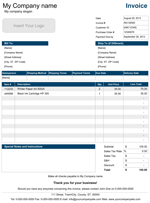
The customers can still request an invoice if they prefer to billed later or need an additional document for their bookkeeping. You can download and customize one of our invoice templates or convert the work order form to an invoice by making a few simple changes, such as changing W.O. # to the Invoice # and changing the document label to Invoice from Work Order.
Managing Work Orders
The template is an ideal solution for a small business where you only have a few work orders to process daily. We have created a free Work Order Tracking Template to help you do this. When your business outgrows this template, you will find numerous work order applications that will help you to cope with larger and more complex order volumes and can be more specific to your business niche.